How to Watch FIFA World Cup 2026 Live Free in Bangladesh on Android
The wait is over. FIFA World Cup 2026 is the biggest football tournament in history — 48 teams, 104 matches, and three host nations (USA, Canada, Mexico) from June 11 to July 19, 2026. For millions of football fans in Bangladesh, the big question is simple: how do I watch every match live, in HD, without paying a single taka?
This is the most complete, no-nonsense guide for Bangladeshi viewers. We will cover every legal and free way to stream the tournament on your Android phone, the official Bangladesh broadcaster, how to get a reliable backup stream using Sportzfy TV v18, language and commentary tips, mobile data saving tricks, and how to watch on your TV when friends and family come over for the big matches.
FIFA World Cup 2026 — Quick Facts for Bangladesh Fans
Who Has Broadcast Rights in Bangladesh?
T Sports is the official rights holder for FIFA World Cup 2026 in Bangladesh. You can watch on T Sports HD via your local cable, IPTV provider, or DTH connection. They also stream on the T Sports app and Toffee, both free for users with Bangladeshi Robi/Airtel SIMs or after a quick sign-up.
However, three real problems hit Bangladeshi viewers every World Cup: (1) the T Sports app and Toffee crash during high-traffic matches like Brazil vs Argentina, (2) Bangla commentary is only available on a limited set of matches, and (3) if you want English, Spanish, Hindi, or Arabic commentary, you are out of luck on official platforms. That is exactly why most Bangladeshi football fans keep a backup app installed — and the most popular one is Sportzfy TV.
Why Sportzfy TV for World Cup 2026?
Sportzfy TV v18 is the FIFA World Cup 2026 Edition. It bundles 50+ official-feed world broadcast channels into one free Android app — T Sports Bangladesh, GTV, Sports 18 India, FOX Sports USA, Telemundo, TUDN, beIN Sports MENA, BBC Sport, ITV, Sky Sports, PTV Sports Pakistan, SuperSport Africa, and more. There is no sign-up, no credit card, no subscription. You install one 26 MB APK and you are done.
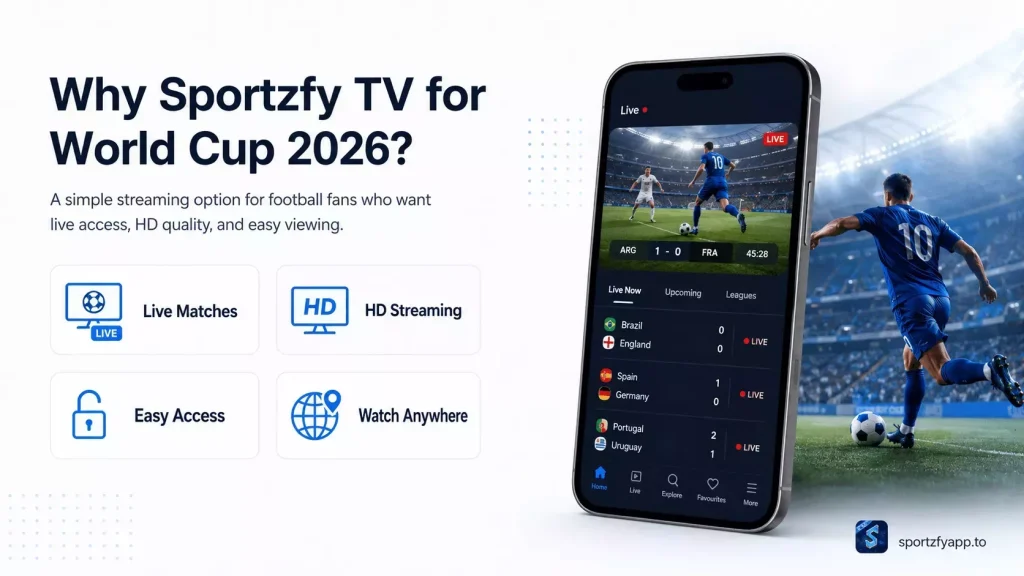
The biggest advantage for Bangladesh viewers: when T Sports buffers, you switch to BBC or FOX in two taps and keep watching the same match in the same minute, in HD. For a full feature breakdown see our Sportzfy TV review, and for Fire TV Stick / Mi Box users we have a dedicated Sportzfy for TV guide.
Step-by-Step: Install Sportzfy TV on Android
- Download the APK — Visit our Sportzfy TV download page on your Android phone. The latest version (FIFA World Cup 2026 Edition) is 14 MB.
- Allow Unknown Sources — Go to Settings → Security → Install Unknown Apps, choose Chrome, and toggle Allow from this source.
- Install — Open the downloaded sportzfy-v18.apk file, tap Install, wait 10–15 seconds.
- Open the app — You will see a big FIFA World Cup 2026 banner on the home screen. Tap it.
- Choose a match — The fixtures list shows every group-stage and knockout match in Bangladesh Standard Time (UTC+6).
- Pick your stream and language — For Bangla pick T Sports, English pick BBC or FOX, Hindi pick Sports 18, Spanish pick Telemundo.
- Turn on Match Reminders — Tap the bell icon next to Bangladesh kickoff times.
Best Stream for Each Language (Bangladesh Viewers)
| Commentary | Recommended Channel | Quality |
|---|---|---|
| Bangla | T Sports HD / GTV HD | 720p |
| English | BBC One / FOX Sports 1 / ITV1 | 1080p |
| Hindi | Sports 18 / Jio Hotstar feed | 720p |
| Urdu | PTV Sports | 720p |
| Spanish | Telemundo / TUDN | 1080p |
| Arabic | beIN Sports MENA | 1080p |
Mobile Data & Buffering Tips for Bangladesh Networks
Most matches start after 10 PM Bangladesh time, peak mobile-data hour. If you are on Robi, Grameenphone, Banglalink, or Teletalk 4G, here is how to keep the stream stable:
- Force Low Quality (480p): Settings → toggle Force Low Quality. ~400 MB per match instead of 1.5 GB.
- Sports night packs: Robi 3GB 7-day and GP Bondho SIM offers are usually the cheapest taka-per-GB during World Cup.
- Switch servers: If T Sports lags, swipe to BBC or FOX — faster CDNs from Dhaka and Chattogram.
- Wi-Fi 5 GHz: If supported, far less congested than 2.4 GHz in apartments.
- Close background apps: Facebook, Messenger and TikTok eat bandwidth in the background.
Watch the World Cup on Your TV
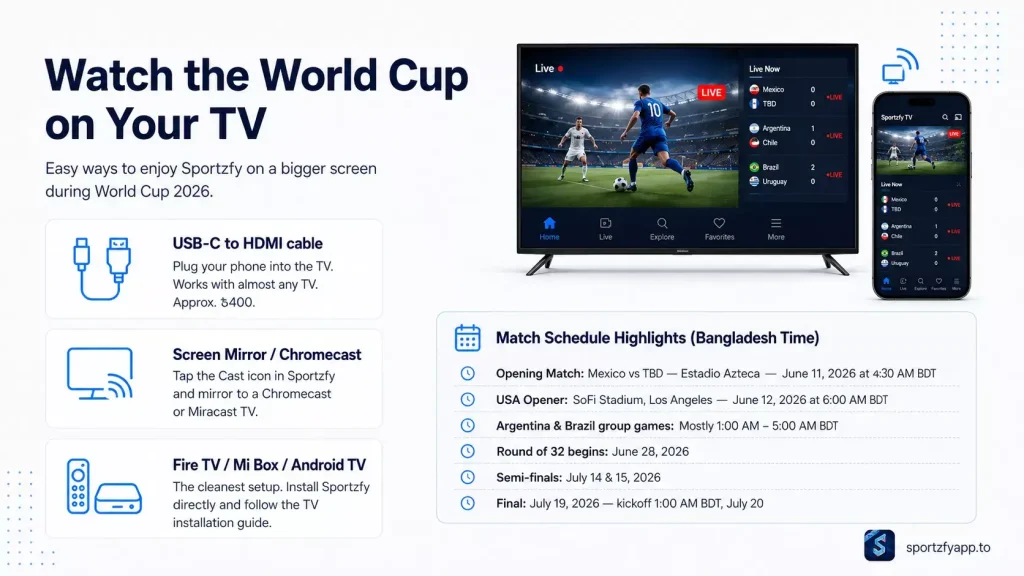
- USB-C to HDMI cable — Plug phone into TV. Works with any TV (~৳400).
- Screen Mirror / Chromecast — Tap the Cast icon in Sportzfy and mirror to any Chromecast/Miracast TV.
- Install Sportzfy on Fire TV Stick / Mi Box / Android TV — Cleanest setup. Read our Sportzfy for TV installation guide.
Match Schedule Highlights (Bangladesh Time)
- Opening Match: Mexico vs TBD — Estadio Azteca — June 11, 2026 at 4:30 AM BDT
- USA Opener: SoFi Stadium, Los Angeles — June 12, 2026 at 6:00 AM BDT
- Argentina & Brazil group games: Mostly 1:00 AM – 5:00 AM BDT
- Round of 32 begins: June 28, 2026
- Semi-finals: July 14 & 15, 2026
- Final: July 19, 2026 — kickoff 1:00 AM BDT, July 20
Backup Apps (Just in Case)
Always keep a backup app installed. If Sportzfy ever has issues during a critical match, you don’t want to be searching for an alternative at 2 AM. We compared the best options in our Top 3 Sportzfy Alternatives guide.
Frequently Asked Questions
Final Word
Download Sportzfy TV v18 (FIFA World Cup 2026 Edition) now, install in under a minute, set match reminders. 🇧🇩⚽
Ready to try Sportzfy TV?
Download the latest version and start streaming for free.